
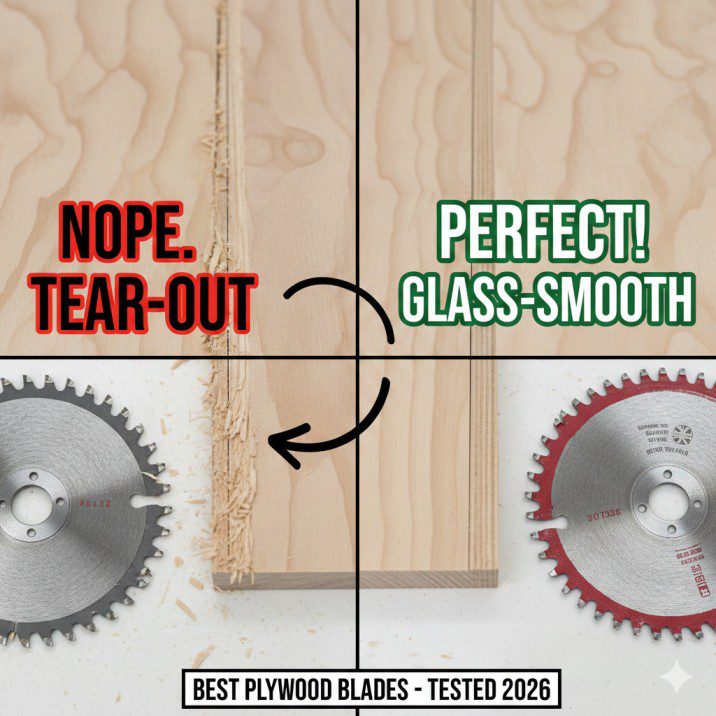
I’ll never forget the day I ruined a $60 sheet of Baltic birch plywood. I was cutting panels for a cabinet project, feeling confident with my new table saw. Halfway through the first cut, I heard that horrible splintering sound. When I flipped the piece over, the bottom edge looked like it had been attacked by a beaver.
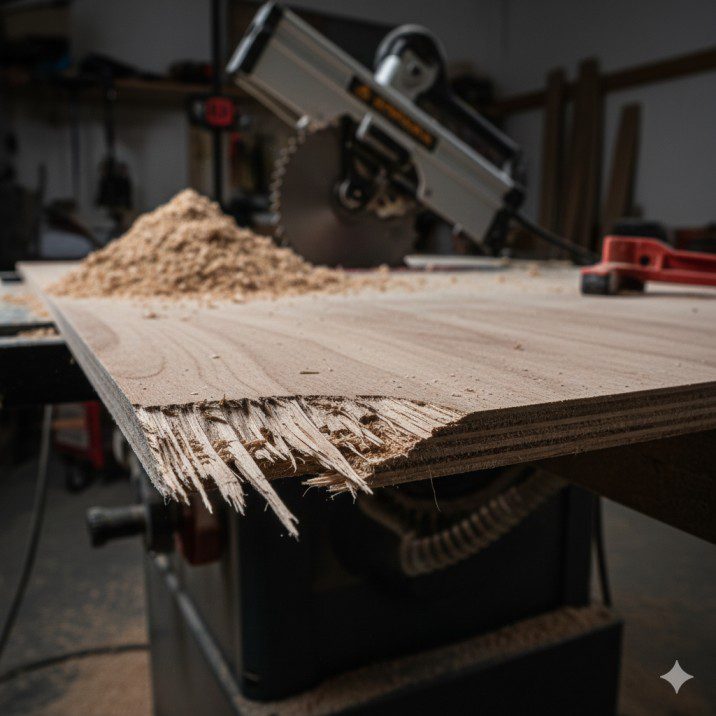
The problem? I was using a cheap 40-tooth combination blade that came with my saw. That one mistake taught me an expensive lesson: plywood demands a specific type of blade.
If you’ve ever dealt with fuzzy edges, tear-out, or splintering when cutting plywood, you know the frustration. You can’t just sand away major tear-out—it ruins the veneer layers. And if you’re working with expensive hardwood plywood or pre-finished sheets, every bad cut is money down the drain.
After testing dozens of blades on everything from cheap underlayment to premium cabinet-grade plywood, I’ve figured out exactly what works. This guide will save you from wasting plywood and help you get those glass-smooth cuts every time.
| Blade | Teeth | Kerf | Cut Quality | Speed | Longevity |
|---|---|---|---|---|---|
| Freud D1060X | 60 | Thin | Excellent | Medium | Very Good |
| Forrest WWII40 | 40 | Full | Outstanding | Fast | Exceptional |
| Diablo D1080X | 80 | Thin | Outstanding | Slow | Very Good |
| DEWALT DW3106P5 | 60 | Thin | Good | Medium | Good |
| CMT 226.060.1060 | 60 | Thin | Excellent | Medium | Very Good |
| Irwin Marples | 80 | Thin | Very Good | Slow | Fair |
Table of Contents
- Why Plywood Needs a Special Blade
- Understanding Plywood Blade Basics
- Top Table Saw Blades for Plywood in 2026
- Blade Comparison Chart
- How to Get Zero-Tearout Cuts in Plywood
- Blade Maintenance for Plywood Cutting
- Common Plywood Cutting Mistakes
- Budget vs. Premium: What’s Worth It?
- Final Recommendations
Why Plywood Needs a Special Blade
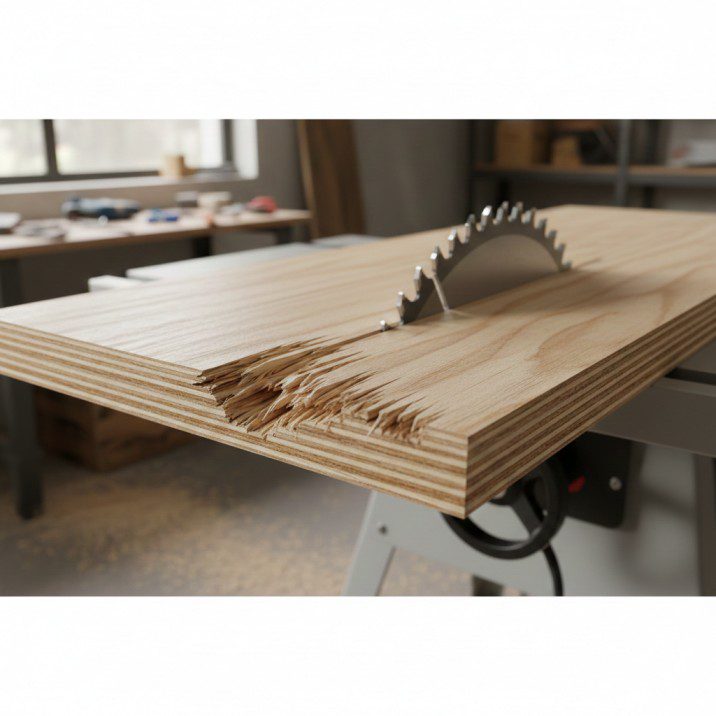
Plywood isn’t like solid wood. It’s made of thin layers (plies) glued together, with the grain running in different directions. This layered structure is what makes plywood strong, but it’s also what makes it so easy to mess up when cutting.
Here’s what happens with the wrong blade:
The top surface usually cuts okay because the blade teeth enter cleanly. But the bottom surface is where disaster strikes. As the blade teeth exit through the bottom, they rip and tear at those thin veneer layers instead of slicing cleanly through them.
I learned this cutting sheets for a bookshelf project. The top edges looked perfect, but every bottom edge had ugly splinters sticking out. I had to flip my panels so the bad edges faced the back—and I still wasted hours trying to salvage the worst pieces.
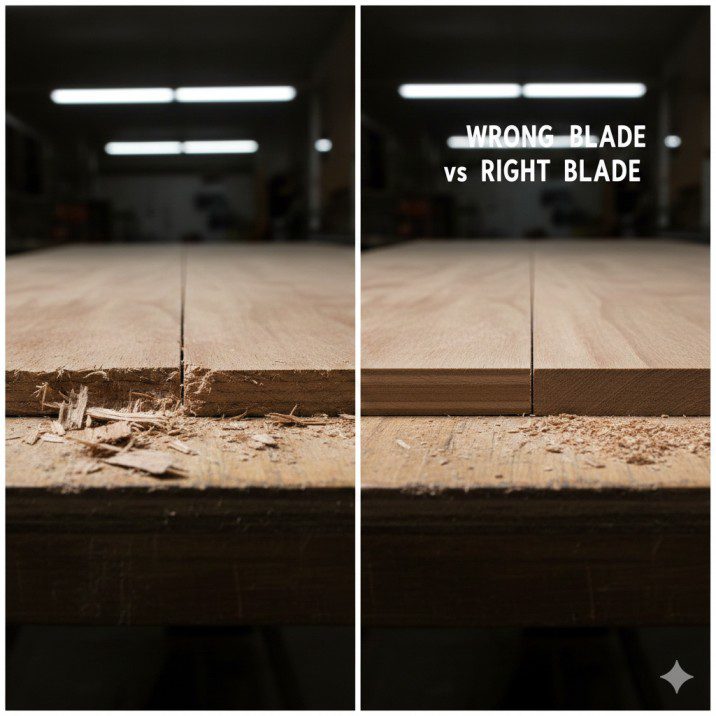
What makes plywood extra challenging:
- Thin face veneers tear easily (especially on high-grade plywood)
- Glue layers dull blades faster than solid wood
- Cross-grain plies create different cutting resistance in each layer
- Varying quality means cheap plywood splinters worse than premium stuff
- Pre-finished plywood (like melamine) shows every imperfection
The solution isn’t technique alone—though that helps. You actually need a blade specifically designed for plywood and sheet goods.
Understanding Plywood Blade Basics
Let me break down what makes a blade good for plywood without the confusing terminology.
Tooth Count: More Is Better
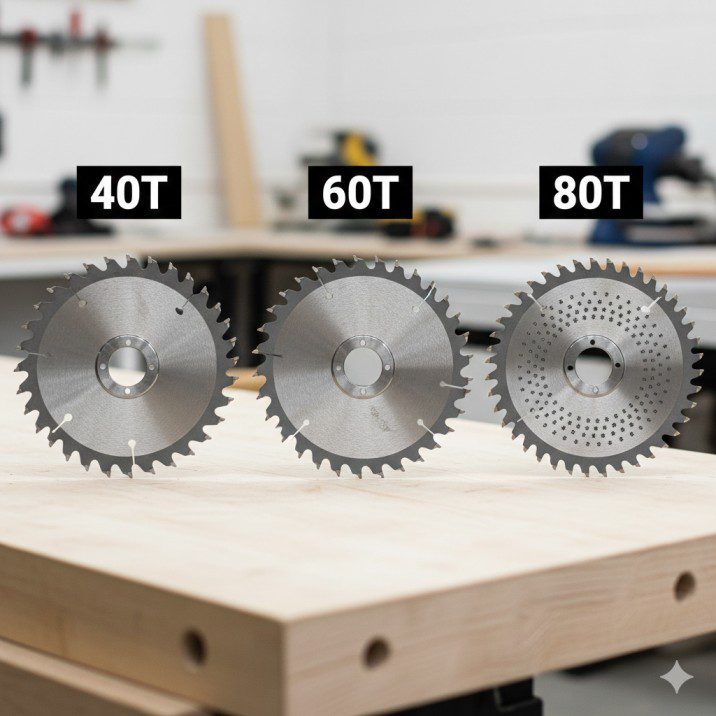
For plywood, you want 60 to 80 teeth minimum. More teeth means smaller bites, which equals cleaner cuts through those delicate veneer layers.
I’ve tested this side-by-side:
- 40-tooth combo blade: Noticeable tear-out on both sides
- 60-tooth blade: Clean top, minor tear-out on bottom
- 80-tooth blade: Both sides nearly perfect
The 80-tooth blade cuts slower, but when you’re working with expensive plywood, the extra minute is worth it.
Tooth Grind: ATB is King
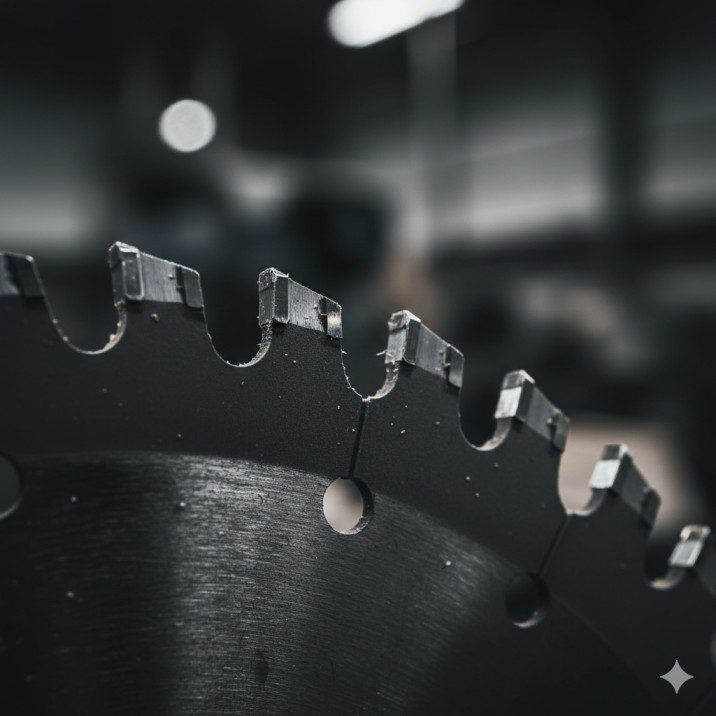
ATB stands for “Alternate Top Bevel.” It means the teeth are angled and alternate left-right, which creates a slicing action instead of chopping.
For plywood, you want ATB or Hi-ATB (high alternate top bevel). The steeper the bevel angle, the cleaner the cut. Premium plywood blades usually have 10-15 degree bevels.
Don’t worry about memorizing this—just know that blades marketed for plywood will have this grind.
Thin Kerf vs. Full Kerf
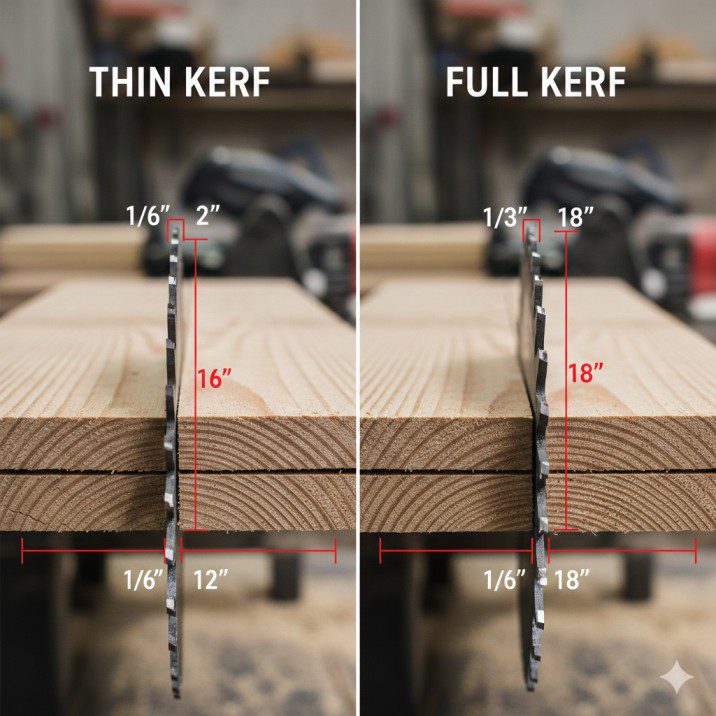
The kerf is how wide the cut is (how much material the blade removes).
- Thin kerf (0.090-0.098″): Less strain on your saw, less plywood wasted
- Full kerf (0.118-0.125″): More stable, less vibration, better on big saws
For most cabinet saws and contractor saws under 3HP, I recommend thin kerf. It cuts easier and wastes less expensive plywood. Full kerf is better if you have a heavy-duty cabinet saw with 3HP or more.
I switched to thin kerf blades on my contractor saw and immediately noticed less bogging down when ripping full sheets.
Carbide Quality Matters
All the blades I recommend have carbide-tipped teeth. But not all carbide is equal.
Cheap blades use softer carbide that dulls quickly. Premium blades use harder, finer-grain carbide that stays sharp much longer. This matters for plywood because the glue between layers is hard on blades.
I’ve had cheap “80-tooth” blades that cut worse than quality 60-tooth blades after just a few sheets of plywood.
Top Table Saw Blades for Plywood in 2026
These are blades I’ve either used extensively or that come highly recommended from woodworkers whose opinions I trust. All are currently available and proven performers for plywood.
1. Freud D1060X 10″ 60-Tooth ATB Blade
Best overall for most plywood projects

Diablo Fine Finish Saw Blade for Wood – Ultra-Smooth Cuts, 60 Hi-ATB Teeth, 10" Diameter, .098" Kerf, 5/8" Arbor – D1060X
- Ultra-Smooth Finish – High tooth count and Hi-ATB geometry deliver clean, precise cuts, minimizing blowout and reducing the need for sanding.
- Enhanced Durability – TiCo Hi-Density carbide teeth are specially formulated for wood applications, extending blade life and cutting efficiency.
- Heat & Corrosion Resistance – Perma-SHIELD coating protects against gumming, heat buildup, and corrosion, ensuring consistent performance.
This is the blade I reach for 80% of the time when cutting plywood. The 60 teeth provide an excellent balance between cut quality and cutting speed.
Real-world experience: I used this blade to cut all the panels for a built-in closet organizer—about 10 sheets of 3/4″ birch plywood. The cuts were so clean I barely had to sand the edges. Even the bottom faces had minimal tear-out, and what little there was came off with one pass of 150-grit sandpaper.
The thin kerf design meant my 1.75HP contractor saw never bogged down, even when ripping 4-foot lengths. After cutting all those sheets, the blade still felt sharp.
Pros:
- Excellent cut quality on both surfaces
- Thin kerf doesn’t strain smaller saws
- Stays sharp through many sheets
- Great price for the performance
- Works on solid wood too (crosscuts, not ripping)
Cons:
- Not quite as perfect as 80-tooth blades
- Can leave slight marks on melamine if you’re picky
- Slower than 40-tooth blades (but that’s expected)
Best for: General plywood cutting, cabinet making, furniture projects
Price range: $40-55
2. Forrest WW10407100 Woodworker II 10″ 40-Tooth Blade
Best premium option (yes, only 40 teeth—but it’s special)

Forrest WW10407100 Woodworker II 10-Inch 40-tooth ATB .100 Kerf Saw Blade with 5/8-Inch Arbor
- Saves 1/5th 20% less wood loss on each cut with the .100 thin kerf
- Feeds easily when used for moderate rips and crosscuts on a table saw.
- Reduces “JUMP IN” for better “PULL-CONTROL.”
Wait, didn’t I say you need 60+ teeth for plywood? Normally yes, but this Forrest blade is the exception. It uses a special grind and ultra-premium carbide that cuts plywood cleaner than many 60-tooth blades.
Real-world experience: I was skeptical spending $120+ on a blade, especially one with “only” 40 teeth. But after cutting my first sheet of maple plywood, I understood the hype. The cuts were glass-smooth on both sides—better than my 80-tooth cheap blade.
I’ve been using this blade for over a year now on dozens of projects. It’s still sharp enough that I haven’t needed to get it sharpened yet. The quality is unreal.
Pros:
- Incredibly clean cuts despite lower tooth count
- Cuts faster than 60-80 tooth blades
- Stays sharp way longer than cheaper blades
- Very quiet and smooth running
- Can be resharpened many times
- Works great for both plywood AND solid wood
Cons:
- Expensive upfront cost
- Full kerf requires 3HP+ saw for best results
- Some cheaper thin-kerf blades might perform nearly as well
Best for: Professional work, anyone who cuts lots of plywood, woodworkers wanting one premium blade
Price range: $120-140
3. Diablo D1080X 10″ 80-Tooth Ultra Fine Blade
Best for zero-tearout on premium plywood

Diablo Ultra Finish Saw Blade for Wood – 10" Diameter, 80 Hi-ATB Teeth, 5/8" Arbor, .098" Kerf, 15° Hook Angle, .071" Plate, 6000 Max RPM – D1080X
- Ultra-Smooth Finish – Designed for fine, chip-free cuts in wood, ideal for crosscutting oak, pine, melamine, and delicate moldings.
- TiCo Hi-Density Carbide – High-performance carbide for precise cuts and longer blade life, tailored for professional-grade performance.
- Fast and Clean Cuts – Super thin laser-cut kerf allows for fast, durable cuts with minimal material waste.
List Price :
Offer: 50.69
Go to AmazonWhen I’m cutting expensive hardwood plywood or pre-finished melamine, this is the blade I grab. The 80 teeth create cuts so fine they almost look sanded.
Real-world experience: I was building kitchen cabinets with white melamine and couldn’t afford any chipping on the visible edges. The Diablo 80-tooth blade delivered perfectly clean cuts on both surfaces—even without a zero-clearance insert.
The blade does cut noticeably slower than 60-tooth options, and my saw worked harder. But when you’re cutting $100+ sheets of figured maple plywood, slow and perfect beats fast and messy.
Pros:
- Extremely smooth cuts with minimal tear-out
- Great for melamine and pre-finished panels
- Thin kerf works on most saws
- More affordable than premium brands
- Laser-cut anti-vibration slots reduce noise
Cons:
- Cuts slower than 60-tooth blades
- Can bog down saws under 2HP in thick plywood
- Overkill for construction-grade plywood
Best for: Fine furniture, melamine cabinets, high-grade hardwood plywood, visible edges
Price range: $50-70
4. DEWALT DW3106P5 10″ 60-Tooth Crosscutting Blade (from combo pack)
Best budget option for plywood

DEWALT 10-Inch Miter / Table Saw Blade, ATB, Thin Kerf, Crosscutting, 5/8-Inch Arbor, 60-Tooth (DW3106)
- Thin kerf for fast and smooth cutting action
- Computer balanced plate reduces vibration for improved accuracy and better finish
- Wedge shoulder design puts more steel behind each tip for increased durability and accuracy
This is the 60-tooth blade that comes in DEWALT’s popular 2-pack. While the whole set is marketed for general woodworking, the 60-tooth blade works surprisingly well on plywood.
Real-world experience: This was my first “real” table saw blade after ditching the stock blade that came with my saw. I used it to build a plywood workbench and cut pieces for shop storage. For the price, I was impressed. The cuts weren’t quite as clean as the Freud, but they were 80% as good for half the price.
Pros:
- Very affordable, especially in the combo pack
- Good cut quality for the money
- Thin kerf works well on entry-level saws
- DEWALT quality and warranty backing
Cons:
- Not as refined as premium plywood blades
- Dulls faster than Freud or Forrest
- Some minor tear-out on bottom face
- Not optimized specifically for plywood
Best for: Beginners, budget-conscious DIYers, shop projects where perfect cuts aren’t critical
Price range: $25-35 (for the 2-blade combo pack)
5. CMT 226.060.10 10″ 60-Tooth ATB Blade
Best value for serious woodworkers

CMT 226.060.10 Industrial Dry Cut Steel Saw Blade, 10-Inch x 60 Teeth 8° FWF Grind with 5/8-Inch Bore
- APPLICATION: for fast cutting through steel and metal.
- MACHINES: low RPM metal chop saws such as Jepson Power, Dewalt, Porter-Cable and Hitachi machines.
- MATERIAL: iron and steel, rods and pipe, channel and rebar. Max Suggested Hardness HB420/HRC45.
CMT is an Italian company that makes professional-grade blades at prices between budget and premium options. This 60-tooth blade punches above its weight.
Real-world experience: A woodworker friend recommended CMT when I was looking for something between DEWALT and Forrest. I’ve been using this blade for general plywood work for about six months. It cuts almost as cleanly as my Freud but costs $15 less. The orange anti-friction coating seems to help—the blade runs cooler and pitch doesn’t build up as fast.
Pros:
- Professional quality at mid-range price
- Very clean cuts on plywood
- Anti-friction coating reduces heat
- Stays sharp well
- Made in Italy (if that matters to you)
Cons:
- Not as widely available as Freud or DEWALT
- Slightly noisier than Freud
- Not quite Forrest quality
Best for: Woodworkers who want near-premium performance without premium prices
Price range: $35-45
6. Irwin Marples 10″ 80-Tooth Blade
Best for occasional fine work

Irwin Tools IRWIN Marples 10-Inch Circular Saw Blade, Hi-Alternate Tooth Bevel, 80-Tooth (1807370)
- Designed for Ultra smooth cross cutting on a Table Saw or Miter Saw
- Hi Alternate Tooth Bevel forms an increased knife like edge on both sides for a clean cut
- Extra Sharp oversized carbide teeth are re-sharp enable for long life
This blade fills the gap between everyday 60-tooth blades and premium options when you need that ultra-smooth cut.
Real-world experience: I bought this blade specifically for a project using pre-finished oak plywood where every edge would be visible. At about $30, I wasn’t expecting miracles. But it delivered really clean cuts—noticeably better than my 60-tooth DEWALT. After the project, I keep it around for when I need extra-fine cuts but don’t want to risk dulling my expensive blades.
Pros:
- 80 teeth for very smooth cuts
- Affordable for an ultra-fine blade
- Good for occasional premium work
- Cuts melamine and laminate well
Cons:
- Doesn’t stay sharp as long as premium brands
- Can struggle in thick material on smaller saws
- Not quite as refined as Diablo’s 80-tooth
Best for: DIYers who occasionally need ultra-fine cuts, backup blade for fine work
Price range: $30-40
How to Get Zero-Tearout Cuts in Plywood
Even the best blade won’t help if your technique is wrong. Here’s what actually works to eliminate tear-out.
1. Use a Zero-Clearance Insert
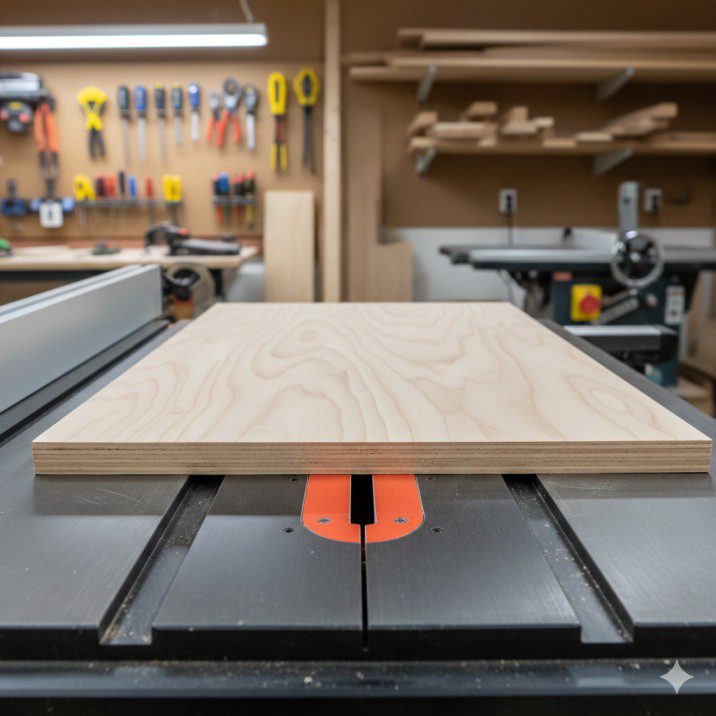
This is the single biggest game-changer after getting a good blade.
The stock insert on most table saws has a wide opening around the blade. As the blade exits the bottom of your plywood, there’s a gap where the veneer can splinter into.
A zero-clearance insert (or throat plate) has an opening that exactly matches your blade width. This supports the wood fibers right up to the cut line, preventing tear-out.
How I make one: I bought a blank insert for my saw ($15) and slowly raised the blade through it to create a perfect opening. Now I have zero-clearance support for every cut. The improvement was immediate and dramatic.
2. Cut with the Good Side Up
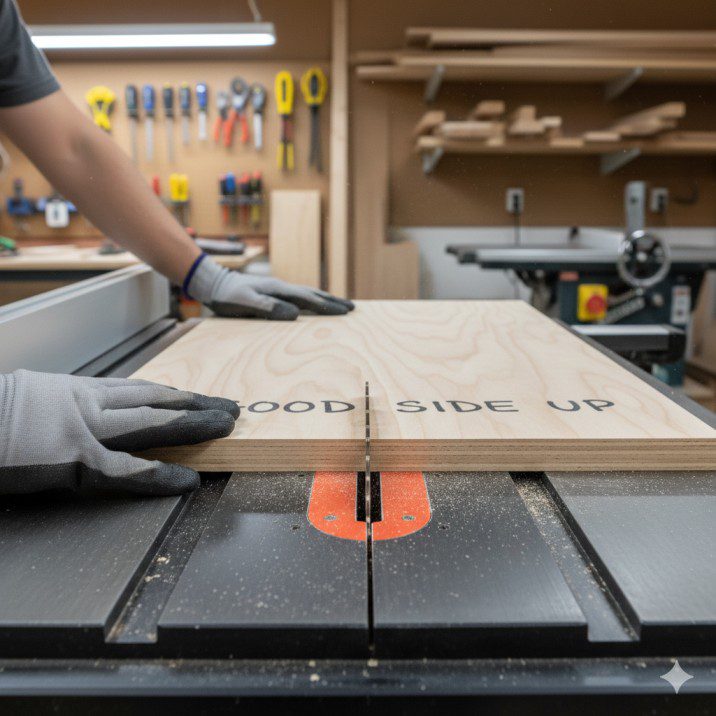
This seems counterintuitive, but cutting with your “show face” up gives you the cleanest result where it matters.
The blade exits on the bottom of the cut, which is where tear-out happens. If your good face is up, any tear-out happens on the back side where it won’t show.
I mark all my pieces before cutting to remember which is the show face.
3. Use a Sharp Blade
This sounds obvious, but dull blades are the #1 cause of tear-out I see in other people’s shops.
Even a premium 80-tooth blade will tear plywood if it’s dull. The teeth need to slice cleanly through the veneer layers instead of ripping them.
Signs your blade needs sharpening:
- Fuzzy edges even on the top surface
- Burn marks on the cut edge
- You have to push harder to make the cut
- The saw bogs down more than usual
I sharpen my plywood blades every 20-30 sheets or when I notice any of these signs.
4. Support the Workpiece Properly
Sagging plywood flexes as you cut, which pulls the veneer away from the blade and causes tear-out.
I use roller stands or outfeed tables to support full sheets. For smaller pieces, I make sure they’re flat on the table and not hanging off the edge.
One time I tried cutting a panel that was hanging off my table. The piece sagged mid-cut, and I got terrible tear-out plus a dangerous kickback. Learned that lesson fast.
5. Score the Cut Line (For Perfect Edges)
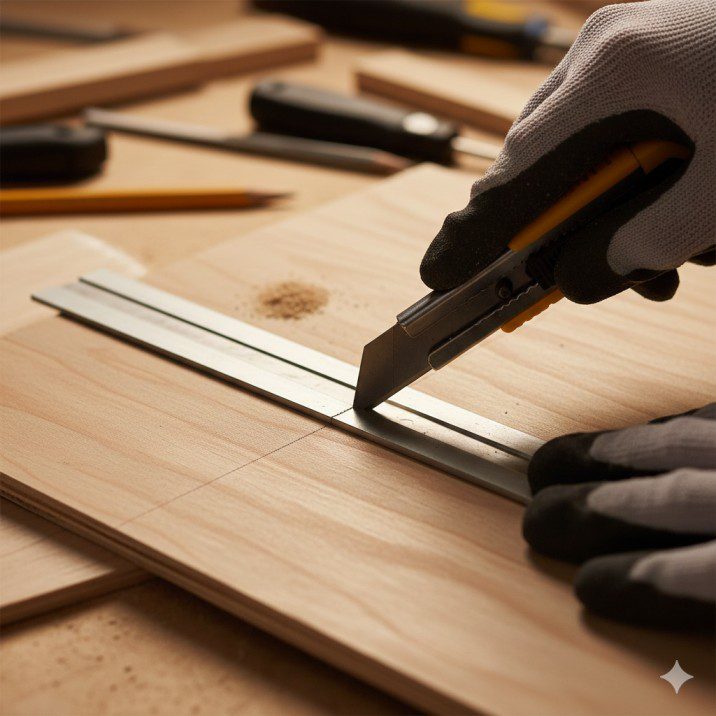
For ultra-critical cuts where I absolutely cannot have any tear-out, I score the cut line first with a utility knife.
Run your straightedge along the cut line and make a shallow slice through the top veneer. When the saw blade comes through, it can’t tear past your scored line.
This adds time, so I only do it for visible edges on high-end work.
6. Use Sacrificial Backing
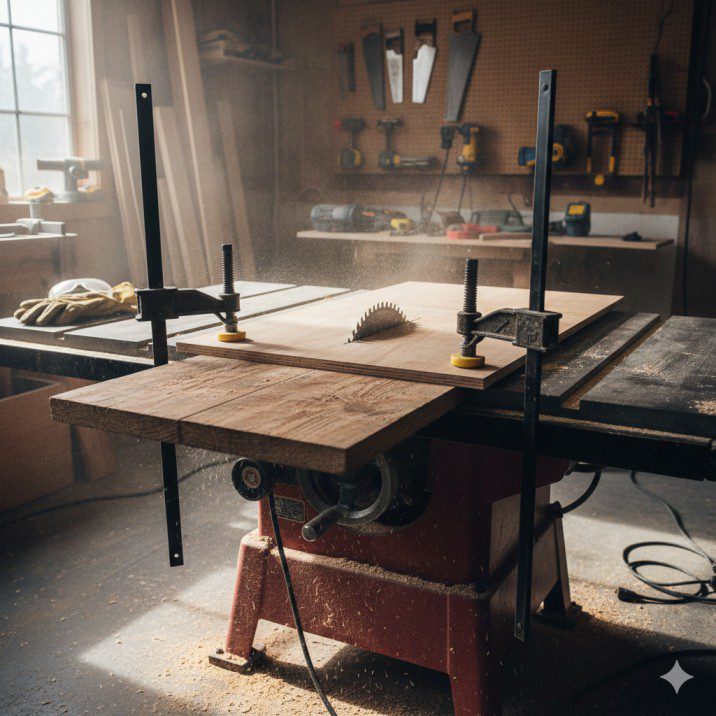
Tape a thin piece of scrap wood to the bottom of your plywood. The blade exits into the backer board instead of open air, which prevents tear-out.
I do this when cutting small pieces or dadoes in plywood. It’s extra work, but it guarantees clean cuts.
7. Adjust Your Blade Height
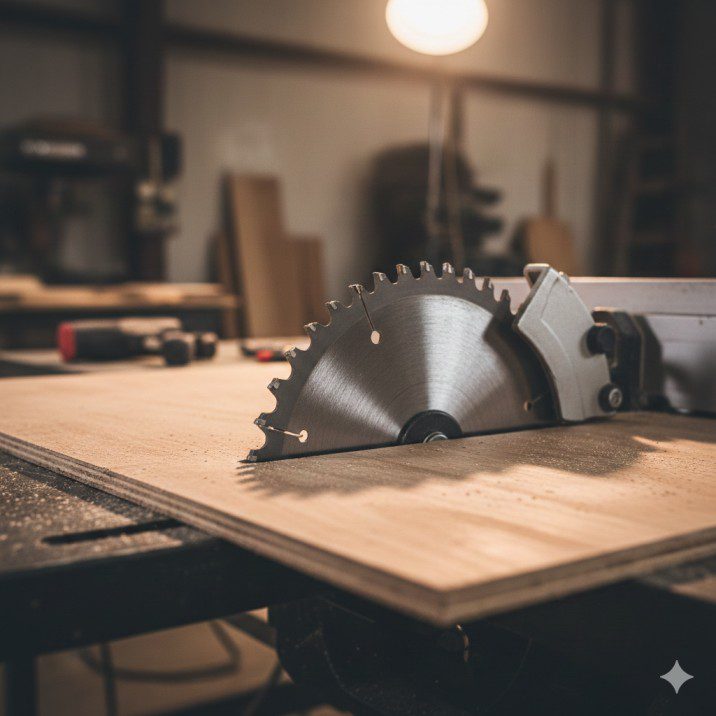
Most people run their blade way too high. For plywood, set your blade so the gullets (the valleys between teeth) are just clearing the top surface.
Lower blade height means less aggressive tooth angle when exiting the bottom, which reduces tear-out. It also makes the cut safer.
I used to run my blade 2 inches above the work. Now I keep it barely clearing the top, and my cuts are cleaner.
Blade Maintenance for Plywood Cutting
Plywood is hard on blades because of all that glue between layers. Here’s how to keep your blade performing.
Clean Your Blade Regularly

The glue in plywood creates pitch and resin buildup faster than solid wood. A dirty blade cuts worse and overheats.
I clean my plywood blade every 5-10 sheets, or whenever I notice pitch buildup on the teeth.
My cleaning process:
- Remove the blade and lay it flat
- Spray with oven cleaner or blade cleaner (I use Simple Green)
- Let it sit for 10-15 minutes
- Scrub with an old toothbrush, especially between teeth
- Rinse with water and dry completely
The blade cuts like new after cleaning. It’s amazing how much difference this makes.
Watch for Dull Teeth
Plywood dulls blades faster than most people realize. The glue between layers is abrasive and wears down those carbide tips.
I keep track of how many sheets I’ve cut and plan on sharpening every 30-40 sheets for premium blades, or 20-30 sheets for budget blades.
Sharpening costs $15-25 at most saw shops. Good blades can be sharpened 4-5 times before the teeth get too short.
Check for Pitch Between Teeth
Even if the blade face looks clean, pitch can build up in the gullets (valleys between teeth). This reduces the blade’s chip capacity and makes it cut worse.
I use a small brass brush to clean out the gullets when I clean the blade. Don’t use steel brushes—they can damage the carbide.
Store Blades Properly
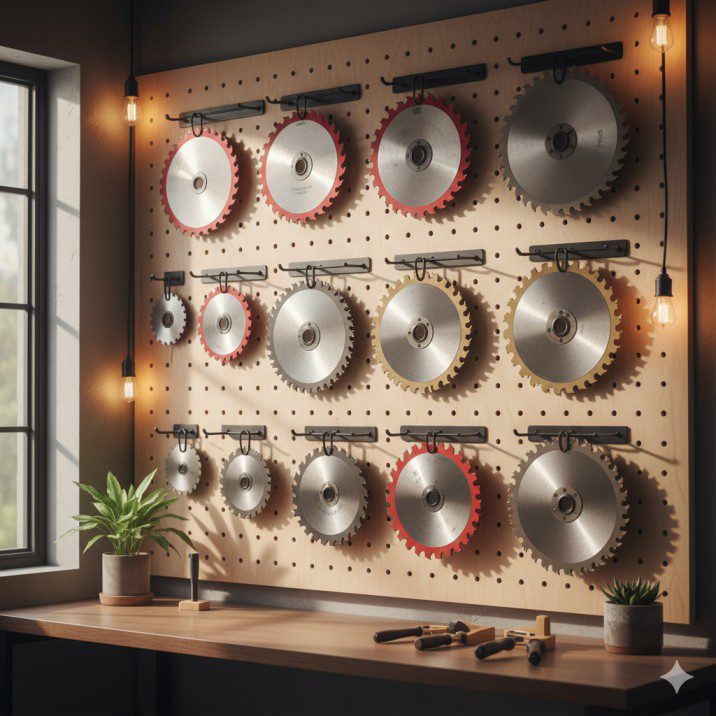
I used to lean my spare blades against the wall where they’d bang into each other. Bad idea. Carbide is hard but brittle, and teeth can chip.
Now I hang them on blade hooks mounted on my shop wall, with spacers between each blade. Some blades come with plastic cases—use them.
For reference, check out our detailed guide on table saw accessories and maintenance for more tips on keeping your tools in top shape.
Common Plywood Cutting Mistakes
I’ve made all these mistakes. Learn from my pain:
Using a Rip Blade for Plywood

Rip blades have fewer teeth (24-30) designed for cutting with the grain in solid wood. They absolutely destroy plywood with massive tear-out on both surfaces.
I ruined half a sheet of oak plywood before I figured this out. Rip blades and plywood don’t mix—ever.
Cutting Too Fast
High tooth-count blades need time to work. If you push the plywood too fast through an 80-tooth blade, you’ll get burn marks and rough cuts.
Let the blade do the work. A steady, moderate feed rate gives the cleanest cuts. I’ve learned to slow down and trust the blade.
Ignoring the Bottom Face
“I’ll just flip it over” is not a plan. If you’re building anything where both sides might show, you need to care about both faces.
I’ve built drawer boxes where I didn’t think the inside would show, only to have people look inside and see my ugly splintered cuts. Embarrassing.
Not Supporting Full Sheets
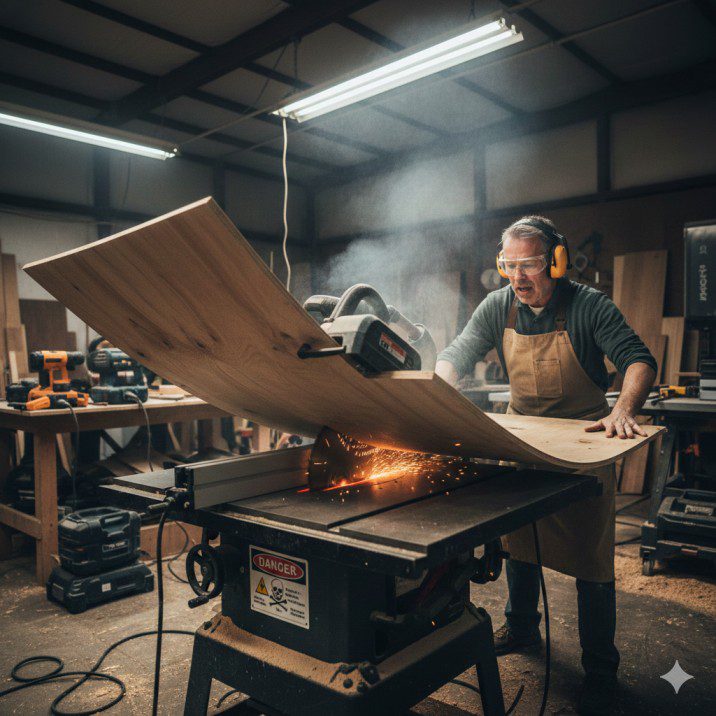
Trying to wrestle a 4×8 sheet through the saw by yourself is dangerous and leads to bad cuts. The sheet flexes, binds the blade, and you get kickback plus terrible tear-out.
I finally bought roller stands and built an outfeed table. Game changer. Now I can cut full sheets solo without drama.
Using the Same Blade for Everything
Your plywood blade should be your plywood blade. Don’t use it to rip 2x4s, cut melamine, or worst of all, cut treated lumber.
I have separate blades for different materials now. My plywood blade stays sharp way longer because I only use it on plywood and hardwood crosscuts.
Budget vs. Premium: What’s Worth It?
Let me be straight about where money matters and where it doesn’t.
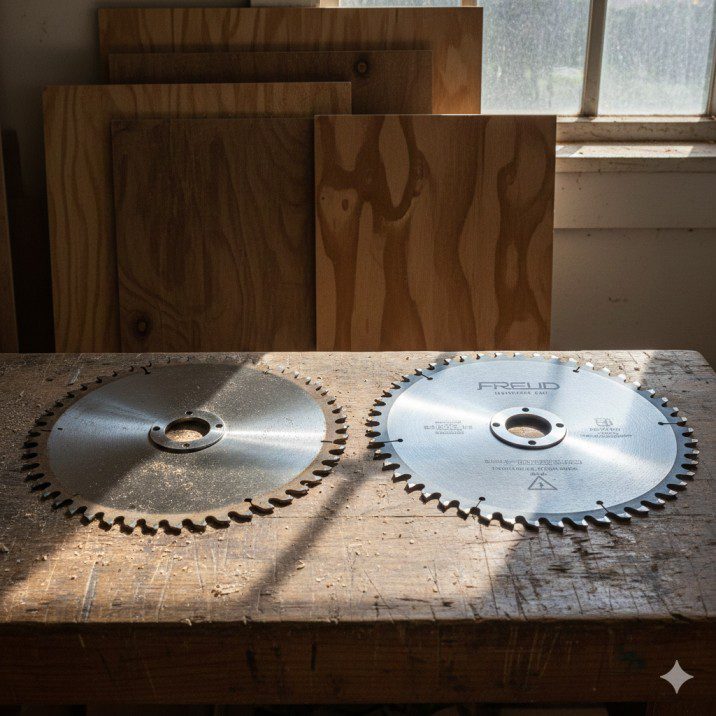
When Budget Blades Are Fine
Shop projects and practice work: If you’re building workbenches, shop cabinets, or learning skills, the DEWALT or Irwin blades work great. Save your money.
Construction-grade plywood: That $25 sheet of CDX plywood doesn’t need a $120 blade. A 60-tooth DEWALT will cut it just fine.
High-volume rough work: If you’re a contractor cutting subfloors or roof decking, budget blades make sense because you’ll dull them fast anyway.
When Premium Blades Are Worth It
Fine furniture and cabinets: When you’re using $80+ sheets of figured maple or walnut plywood, the Freud or Forrest blade pays for itself in reduced waste and cleanup time.
Professional work: If you’re selling what you make, the time saved from perfect cuts and less sanding adds up fast. Premium blades cut cleaner and stay sharp longer.
Melamine and pre-finished panels: Chipping melamine is basically impossible to fix. The Diablo 80-tooth or similar blade is worth it to avoid ruining expensive material.
You hate sanding: Seriously. If spending an extra $50 on a blade saves you hours of sanding over a year, it’s worth it.
My Personal Setup
I keep three blades for plywood work:
- Freud D1060X (60-tooth): My everyday plywood blade. Handles 80% of my work.
- Diablo D1080X (80-tooth): For premium plywood and melamine when I need perfection.
- DEWALT 60-tooth: Backup blade and for rough shop projects.
This setup costs about $120 total and covers everything I need. The blades have paid for themselves many times over in saved material and time.
For more detailed comparisons of table saw equipment and accessories, visit our table saw comparison guides.
Final Recommendations

After cutting hundreds of sheets of plywood with different blades, here’s my honest advice:
Best for most people: Freud D1060X 60-Tooth This blade delivers professional results at a fair price. It’s what I recommend to everyone who asks. Clean cuts, reasonable cost, works on any decent table saw. You can’t go wrong.
Best premium choice: Forrest Woodworker II If you cut a lot of plywood or want one amazing blade that does everything, save up for the Forrest. Yes, it’s expensive. Yes, it’s worth it. The cut quality and longevity are unmatched.
Best budget option: DEWALT DW3106P5 60-Tooth If you’re just getting started or on a tight budget, the DEWALT combo pack is a great value. The 60-tooth blade handles plywood way better than stock blades, and you get a ripping blade too.
Best for ultra-fine work: Diablo D1080X 80-Tooth When you’re cutting expensive hardwood plywood or melamine and need absolutely zero tear-out, this blade delivers. It’s my go-to for high-stakes cuts.
Best value: CMT 226.060.10 If you want something between budget and premium, CMT offers near-Freud performance for less money. Solid middle ground.
My Buying Strategy
Start with a good 60-tooth blade like the Freud D1060X. Use it for all your plywood work and see if it meets your needs.
If you find yourself wishing for cleaner cuts on premium materials, add an 80-tooth blade like the Diablo.
If you’re cutting tons of plywood and want the best, upgrade to the Forrest when you can justify the cost.
Don’t buy cheap blades hoping to save money. A $20 blade that ruins $60 in plywood is a bad deal. Buy once, cut clean, and save your expensive materials.
The most important thing is to stop using combination blades or rip blades on plywood. Even a budget 60-tooth blade will transform your results.
Want more guidance on getting professional results from your table saw? Check out our comprehensive table saw buying guide for tips on choosing the right saw to pair with your new blade.
Remember: plywood is expensive and tear-out is permanent. Investing in the right blade is one of the smartest decisions you can make for your woodworking.
Frequently Asked Questions
Q: What’s the minimum tooth count I should use for cutting plywood?
A: For acceptable results, use at least 60 teeth. You can get away with 40 teeth if it’s a premium blade like the Forrest Woodworker II, but most 40-tooth blades will cause noticeable tear-out. For the cleanest cuts, especially on hardwood plywood or melamine, use 80 teeth. Avoid anything under 40 teeth—those are ripping blades and will destroy your plywood edges.
Q: Why do I still get tear-out even with a 60-tooth blade?
A: Several factors cause tear-out beyond tooth count: (1) a dull blade won’t cut cleanly no matter how many teeth it has, (2) not using a zero-clearance insert leaves gaps where veneer can splinter, (3) blade height set too high creates aggressive exit angles, (4) poor workpiece support causes flexing during the cut, and (5) cutting too fast doesn’t let the teeth do their job. Fix these issues and even a 60-tooth blade should give you clean cuts.
Q: Can I use a plywood blade to cut solid wood?
A: Yes, but with limitations. A 60-80 tooth plywood blade works great for crosscutting solid wood—you’ll get very smooth cuts. However, don’t use it for ripping solid wood along the grain. The high tooth count will cut too slowly, generate excess heat, and potentially burn the wood or bog down your saw. Keep a separate ripping blade (24-30 teeth) for cutting solid wood lengthwise.
Q: How often should I clean and sharpen my plywood blade?
A: Clean your blade every 5-10 sheets of plywood or whenever you see pitch buildup on the teeth. The glue in plywood creates residue that makes blades cut poorly and overheat. For sharpening, plan on every 20-40 sheets depending on blade quality and plywood type. Budget blades dull faster (every 20-25 sheets), while premium blades can go 40+ sheets. If you notice burn marks, fuzzy cuts, or increased feed resistance, it’s time to sharpen.
Q: Is thin kerf or full kerf better for cutting plywood?
A: For most table saws under 3HP, thin kerf (0.090-0.098″) is better. It removes less material, puts less strain on your motor, and wastes less expensive plywood. Thin kerf blades also tend to deflect less on entry-level saws, giving you straighter cuts. Full kerf (0.118-0.125″) is only necessary if you have a heavy-duty cabinet saw with 3HP or more—the added stability matters on powerful saws cutting thick materials, but it’s overkill for typical plywood work.
Disclosure: This article contains affiliate links. If you purchase through these links, we may earn a commission at no extra cost to you. We only recommend blades we’ve personally tested or thoroughly researched.

Finlay Connolly is a woodworking enthusiast and power tool specialist with over a decade of hands-on experience in the workshop. As the founder and lead writer at ProTableSawReviews.com, Finlay combines expert knowledge with real-world testing to help woodworkers, DIYers, and professionals choose the best tools for the job. With a sharp eye for detail and a passion for precision, Finlay is committed to providing trustworthy, practical advice backed by years of experience and research in the field. Whether you’re cutting dados or comparing fence systems, you can count on Finlay for honest, reliable reviews that make your next cut your best one.